 Desklog
Features
Keep the brief close to the work
Write project knowledge, connect it to tasks and find the decisions that explain what comes next.
A home for the parts that are not tasks
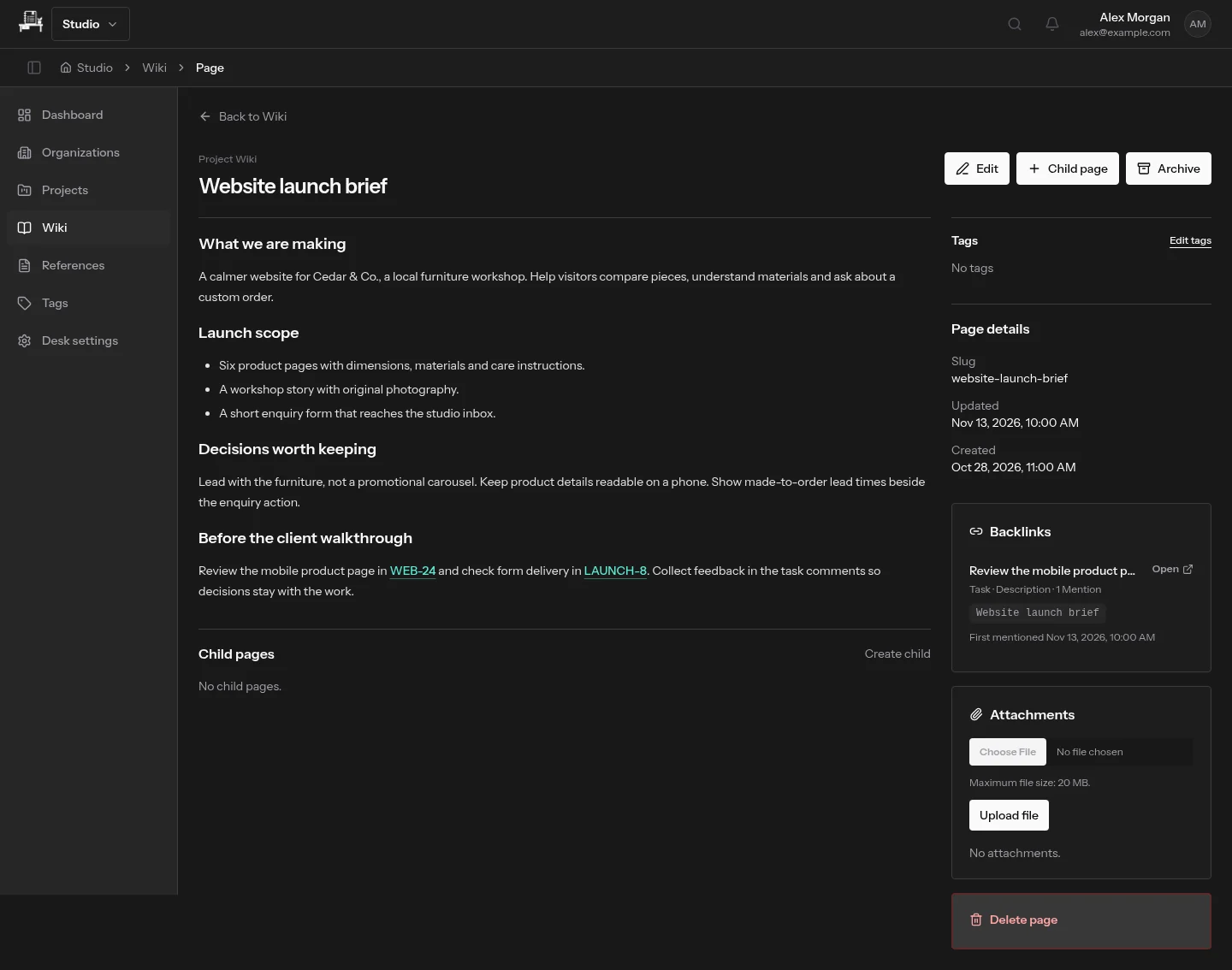
Use wiki pages for a launch brief, meeting notes or a decision that several tasks depend on. Organize pages into a hierarchy and write in Markdown, with files and images alongside the text.
Follow the connections in both directions
Mention a task or wiki page from the editor to connect the discussion to its source. Backlinks make those relationships visible from the referenced content, so the brief can lead you back to the work it informs.
Give familiar external tools a short name
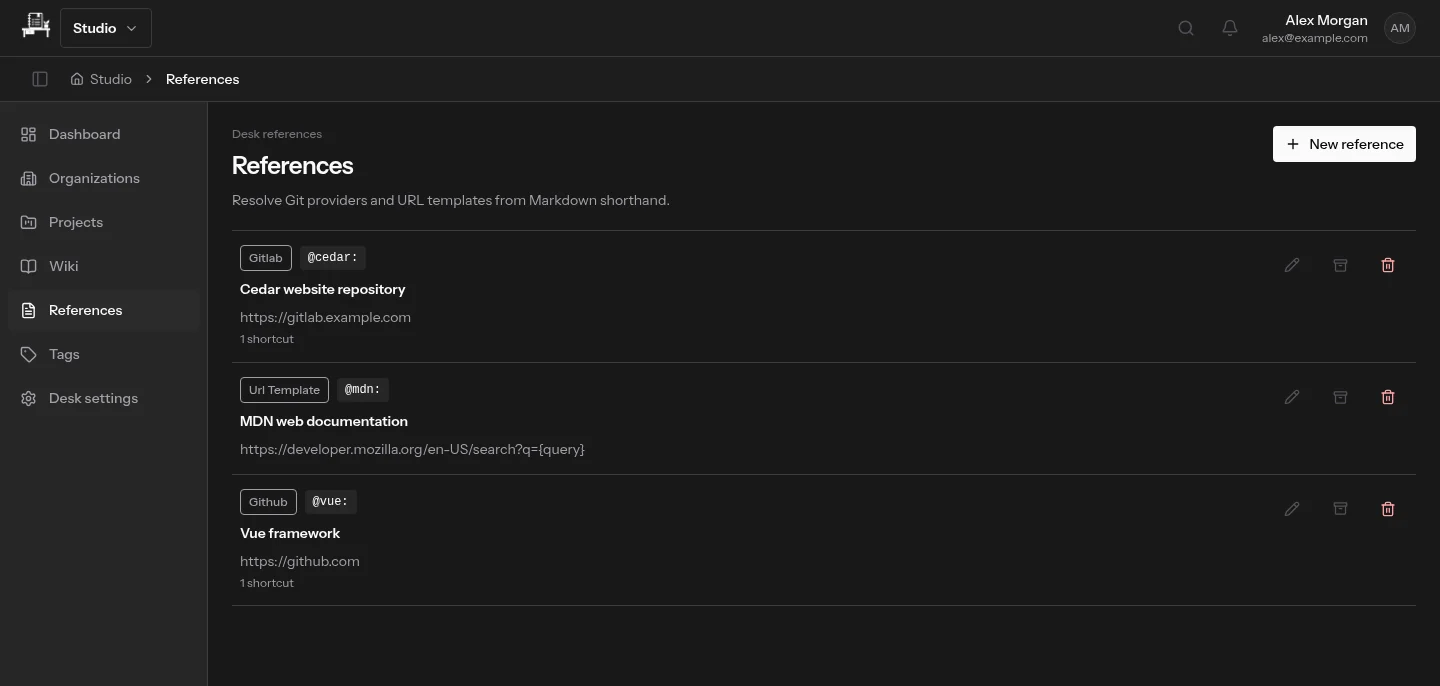
References define reusable shortcuts to repositories and other sites. A named GitLab, GitHub or URL-template reference keeps those links recognizable inside your Desk; it does not copy or synchronize the external service.
Search for the thing you remember
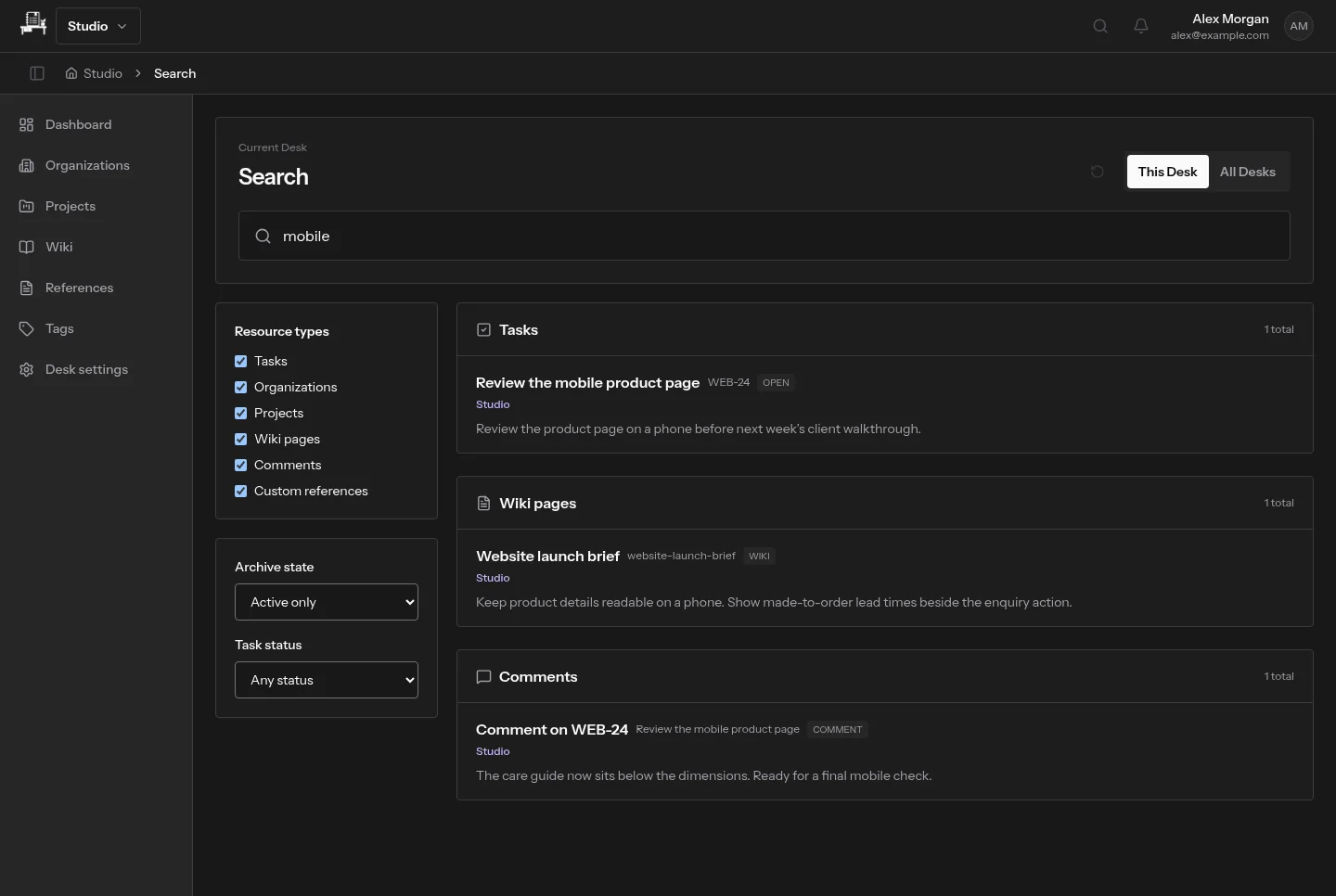
A phrase such as “mobile” can lead to a task, a wiki paragraph or a comment. Search the current Desk, or use the quick switcher to reach work elsewhere that you can access.
Keep useful knowledge lightweight
Start with the brief and a few decisions. Add structure when it helps someone find an answer, not because every project needs a handbook. Private files stay governed by access to their parent content, and search only returns work you can access.