 Desklog
Features
Shared work, with clear boundaries
Keep personal and shared Desks separate. Invite people, choose their access and move work deliberately when its home changes.
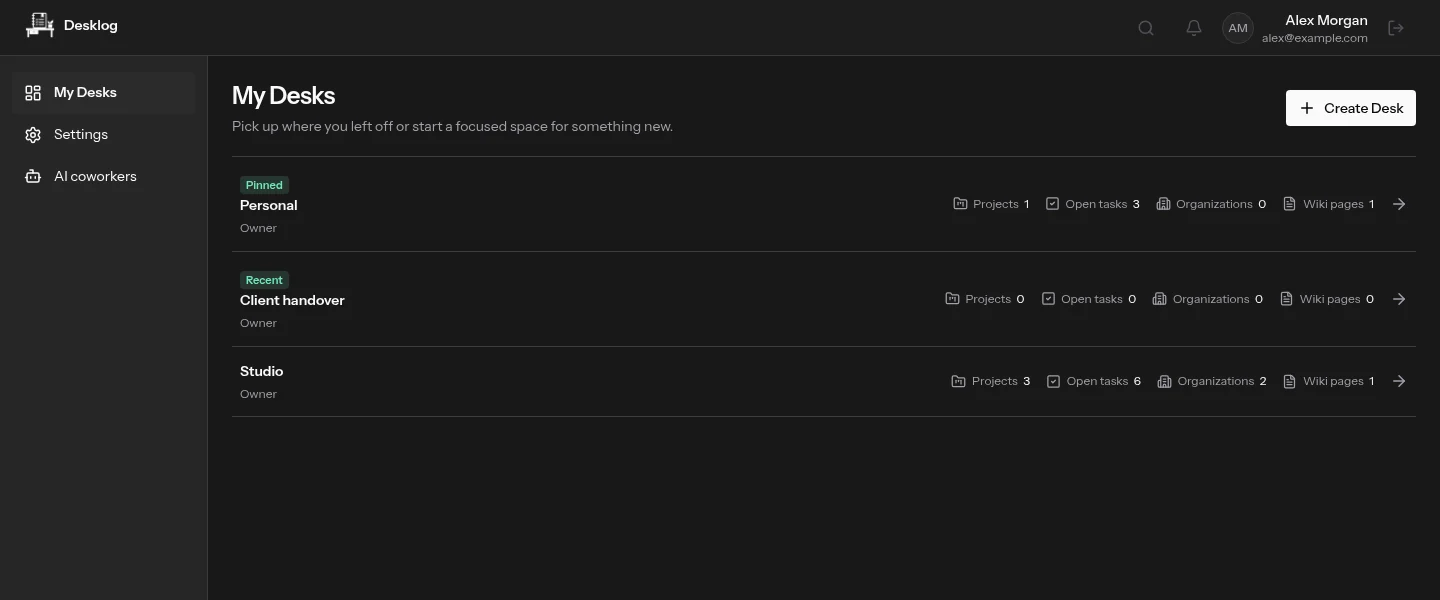
A Desk is a workspace, not a project
Use a Desk to separate a team, a client workspace or your personal work. Organizations, projects, tasks, wiki pages and tags live inside it. Membership in one Desk does not grant access to another.
Invite people to the work they need
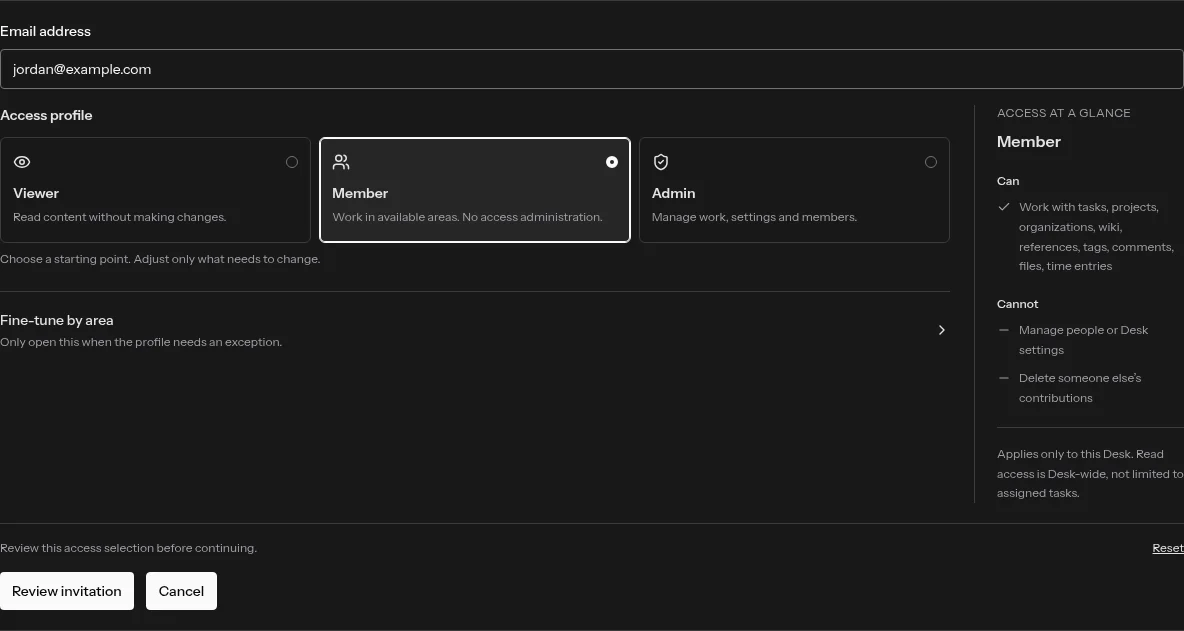
Invite a person by email and choose a starting access profile. Viewer is for reading, Member is for normal content work and Admin can manage the Desk and other people’s content. Ownership remains a separate responsibility. Adjust individual areas only when the defaults do not fit. Pending invitations can be revoked, and removing access does not erase someone’s existing contributions.
People and AI use a familiar access editor
The same profile-first approach makes permissions easier to review across human members and AI coworkers. Coworker access still requires approval from the Desk Owner and separate client consent. AI coworkers cannot become Admins or Owners.
Move the project, not just its title
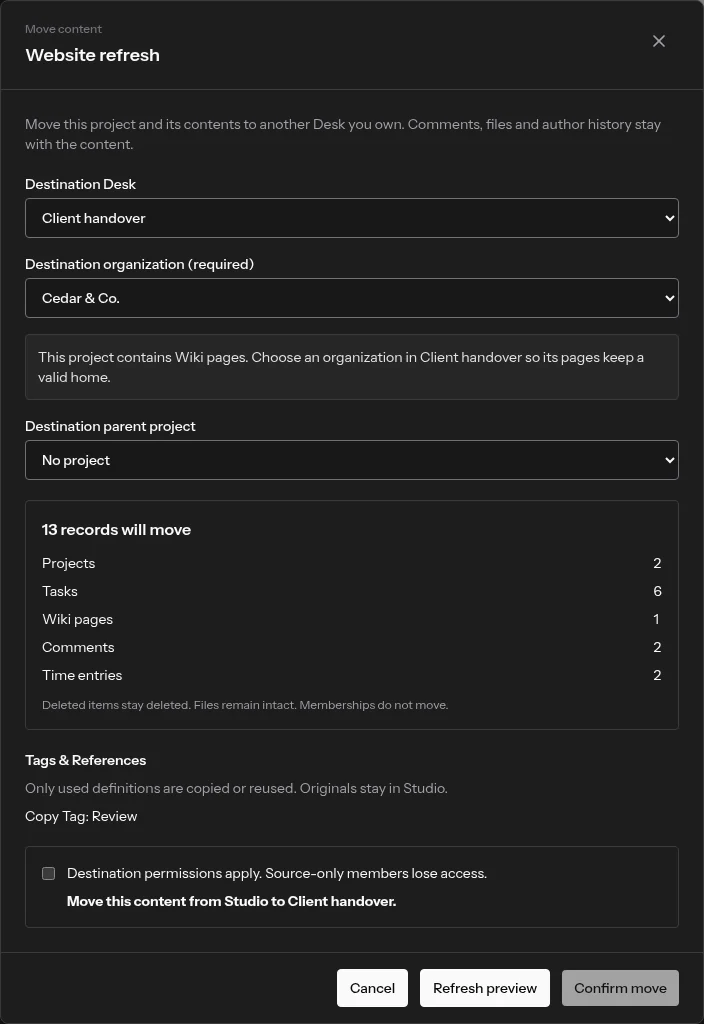
When you own both Desks, preview a move before applying it. Review the content that travels with it, destination identifiers, used tags and references, and any assignments that will be removed. Membership does not travel with content: destination permissions take over.
Make access part of the handover
Before moving a client project, check who will see it in the destination and who will lose access from the source. Explore project handovers to see what stays connected and what changes.