 Desklog
AI coworkers · Built-in MCP
AI coworkers, in your workspace
Connect an external AI agent to Desklog through the built-in MCP server. Give it an identity, approve its Desk access and keep its contributions alongside the work.
Bring your agent. Keep the context.
Ask your connected client to find a task, summarize a discussion, organize a backlog or add a project note. The client uses Desklog’s MCP tools to work with the records it is allowed to access. Desklog supplies the workspace and tools; your external client supplies the model and decides when to act.
An identity separate from yours
Create a named coworker instead of giving an agent your human account. Its comments and other contributions retain that identity. Creating a coworker does not grant access to any Desk.
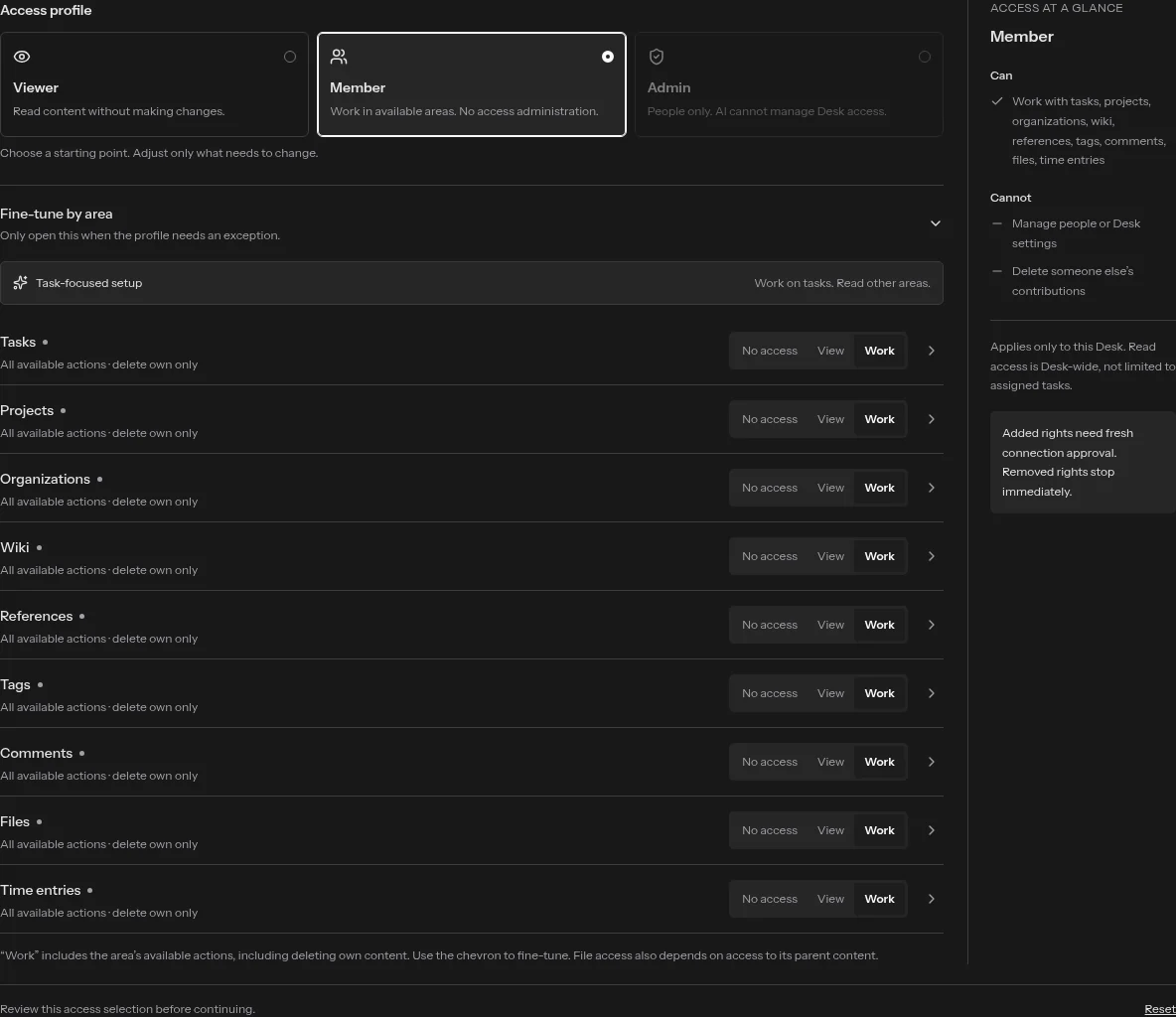
Start with a profile. Adjust the exceptions.
Choose Viewer or Member, then adjust No access, View or Work for each area. Expand an area when you need individual permissions. The Desk owner reviews the request, and the coworker cannot exceed its human owner’s access. Admin access stays human-only.
Desk approval and connection consent
Desk membership determines where the coworker may work. OAuth consent determines what a specific client connection may use. Effective access stays within both boundaries. Adding permissions to a coworker does not silently expand an existing connection: reconnect and approve the added rights.
Work with more than tasks
The MCP tools cover tasks, comments, time entries, projects, organizations, tags, wiki pages, references, attachments and notifications. Availability depends on the approved Desk access and connection scopes. Coworkers do not administer accounts, grant themselves permissions or become Desk owners.
Disconnect without losing the work
Revoke a single client connection, remove access to a Desk, or disable the coworker. Its existing contributions remain attributed. Assignment is not automatic execution; Desklog does not run a background agent just because a task has an assignee.
Connect your first coworker
Follow the AI coworker setup guide for creation, Desk approval and connection. For client requirements and tool behavior, read the MCP integration guide.